
The top 10 SEO tools can help you understand how your website performs in search engines, discover keyword opportunities, identify technical issues, and monitor your progress. But you don’t need an expensive subscription—or ten different platforms—to improve your SEO.
Some of the most useful tools are completely free, while paid platforms offer deeper competitor research, backlink analysis, and automation.
This guide compares ten practical SEO tools, explains what each does best, and helps you choose the right combination for your website and budget.
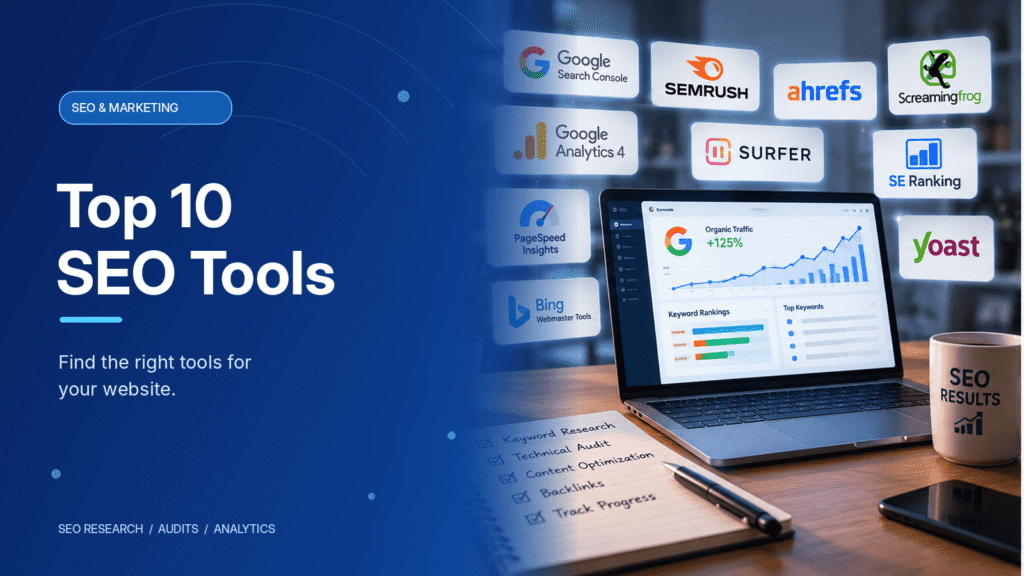
Top 10 SEO Tools at a Glance
| SEO Tool | Best For | Pricing Model |
|---|---|---|
| Google Search Console | Search performance and indexing | Free |
| Google Analytics 4 | Visitor behavior and conversions | Free |
| Google PageSpeed Insights | Website performance | Free |
| Screaming Frog SEO Spider | Technical website audits | Free / Paid |
| Bing Webmaster Tools | Bing search performance | Free |
| Semrush | All-in-one SEO research | Free limited tools / Paid |
| Ahrefs | Backlinks and competitor research | Free limited tools / Paid |
| SE Ranking | Rank tracking and site audits | Paid |
| Surfer SEO | Content optimization | Paid |
| Yoast SEO | WordPress on-page SEO | Free / Paid |
Pricing and feature availability can change. Check each provider before choosing a subscription.
1. Google Search Console: Best for Search Performance
Google Search Console is one of the first tools every website owner should configure.
It shows how your website performs in Google Search, including impressions, clicks, search queries, and average positions.
You can also inspect URLs, submit XML sitemaps, and investigate indexing issues.
Best for: Website owners who want to understand which pages attract organic search traffic and which require attention.
Limitation: It doesn’t provide the same competitor keyword research capabilities as paid SEO suites.
2. Google Analytics 4: Best for Understanding Visitors
Google Analytics 4 (GA4) helps you understand what happens after visitors arrive on your website.
It tracks user interactions, engagement, traffic sources, and configured key events such as purchases or form submissions.
For SEO, use GA4 alongside Search Console. Search Console shows how visitors find your website through Google, while GA4 helps you understand what they do afterward.
Best for: Measuring whether organic traffic contributes to business goals.
Limitation: GA4 isn’t a dedicated keyword research or backlink analysis platform.
3. Google PageSpeed Insights: Best for Website Speed
PageSpeed Insights analyzes website performance on desktop and mobile devices.
It reports metrics such as Largest Contentful Paint (LCP), Interaction to Next Paint (INP), and Cumulative Layout Shift (CLS).
These measurements help identify slow loading, poor responsiveness, and unexpected layout movement.
The tool also provides optimization suggestions, including reducing unnecessary JavaScript and improving image delivery.
Best for: Developers and site owners troubleshooting performance problems.
Limitation: Improving a performance score alone doesn’t guarantee higher search rankings.
4. Screaming Frog SEO Spider: Best for Technical SEO Audits
Screaming Frog SEO Spider crawls websites and identifies issues that can be difficult to find manually.
It can detect broken links, redirect chains, missing page titles, duplicate metadata, and indexing directives.
The free version allows crawling up to 500 URLs. Larger websites and advanced features require a paid license.
Best for: Technical audits, site migrations, and identifying problems across many pages.
5. Bing Webmaster Tools: Best Free Google Search Console Companion
Bing Webmaster Tools provides search performance reporting, URL inspection, keyword research, and site auditing features for Bing.
Its Site Scan feature helps identify common technical SEO problems, while URL Inspection provides information about crawling and indexing.
Best for: Website owners who want broader search engine visibility without another paid subscription.
Limitation: Bing performance data isn’t interchangeable with Google’s search data.
6. Semrush: Best All-in-One SEO Platform
Semrush combines keyword research, competitor analysis, rank tracking, and technical site auditing.
Its tools help businesses discover search opportunities, compare competing websites, and monitor SEO campaigns.
For example, you can research keywords used by competing businesses and identify topics your website hasn’t covered.
Best for: Marketing teams, agencies, and businesses managing ongoing SEO campaigns.
Limitation: Its broader toolset and subscription costs may be unnecessary for small websites.
7. Ahrefs: Best for Backlink and Competitor Research
Ahrefs is particularly useful for analyzing backlinks, competing websites, and organic keyword opportunities.
Site Explorer helps identify which pages attract search traffic and which websites link to your competitors.
Keywords Explorer supports topic research, while Site Audit identifies technical issues.
Best for: SEO professionals focused on backlinks, competitive research, and content opportunities.
Limitation: Its full toolkit can be expensive for beginners.
8. SE Ranking: Best for Tracking SEO Campaigns
SE Ranking provides rank tracking, website auditing, competitor analysis, and keyword research in one platform.
It can help businesses monitor how selected keywords perform over time and identify technical problems affecting their websites.
Best for: Freelancers, small businesses, and agencies wanting structured SEO monitoring.
Limitation: Available features and project limits depend on the subscription.
9. Surfer SEO: Best for Content Optimization
Surfer analyzes search results and provides recommendations for creating and updating content.
Its Content Editor suggests relevant terms and topics to consider, while its auditing features help identify opportunities to improve existing pages.
However, content recommendations should guide editorial decisions, not replace them. Adding keywords simply to increase a content score can make an article less useful.
Best for: Content teams publishing and refreshing SEO-focused articles.
10. Yoast SEO: Best for WordPress Optimization
Yoast SEO helps WordPress users manage essential on-page SEO settings.
Its features include title tags, meta descriptions, XML sitemaps, canonical URLs, and content analysis.
Rank Math is another popular WordPress SEO plugin with similar core capabilities.
Best for: WordPress site owners who want easier control over search-related settings.
Limitation: Installing an SEO plugin doesn’t automatically improve content quality or search rankings.
Which SEO Tools Should You Choose?
You don’t need every platform listed above. Choose tools based on what you’re trying to improve.
- Beginners: Start with Google Search Console, GA4, and PageSpeed Insights.
- WordPress bloggers: Add Yoast SEO or Rank Math.
- Small businesses: Consider SE Ranking for monitoring and keyword research.
- Agencies: Semrush or Ahrefs can support broader competitor analysis.
- Technical SEO specialists: Screaming Frog is particularly valuable for crawling and diagnostics.
- Content teams: Surfer may help streamline content audits and updates.
If your budget is limited, begin with free tools. Upgrade only when you need a specific capability they don’t provide.
How to Use SEO Tools Effectively
A good SEO workflow starts with evidence rather than guesswork.
First, use Search Console to identify pages receiving impressions but relatively few clicks. Review whether their titles, descriptions, and content satisfy the relevant search intent.
Next, audit your website for broken links, indexing problems, and unnecessary redirects.
Use PageSpeed Insights to investigate performance issues, particularly on important landing pages.
Finally, monitor your changes through Search Console and GA4 instead of assuming that an optimization worked.
Remember that website infrastructure matters too. Reliable WordPress hosting, caching, and efficient website code can support better performance, but no hosting plan or SEO tool guarantees rankings.
Frequently Asked Questions
Google Search Console is an excellent starting point for understanding Google Search performance. Combine it with GA4 and PageSpeed Insights for visitor behavior and performance analysis.
They can be, particularly when you need competitor research, larger website audits, or frequent rank tracking. Smaller websites may have everything they need with free tools.
No. SEO tools provide data and recommendations, but rankings depend on many factors, including content relevance, competition, technical accessibility, and search engine systems.
Conclusion
The best SEO tools are the ones that help you identify problems, make informed changes, and measure results.
Start with free essentials such as Google Search Console and PageSpeed Insights. Add paid research, auditing, or content tools when your website’s requirements justify them.
A focused SEO strategy supported by a few well-chosen tools is more valuable than paying for every platform available.