You can build a WordPress website with AI without knowing how to code or hiring a professional web designer. AI-powered website builders can generate page layouts, write initial content, suggest images, and help you create a functional website with much less manual work.
The good news? You don’t need a hosting provider with a built-in AI website builder. Several independent tools work with WordPress, including free options for beginners.
In this guide, we’ll explore two free AI website builders and one paid solution, explain how to use them, and show you how to launch your website.
How Does AI Website Building Work?
Traditional website building involves choosing a theme, arranging page elements, and writing content manually.
AI website builders simplify these tasks. You describe the website you want, and the tool generates a starting design based on your instructions.
For example, you might enter:
“Create a modern website for a small IT consulting business. Include a homepage, services page, about page, and contact page. Use a professional blue-and-white design.”
The AI can suggest layouts, headlines, sections, and images based on that description.
However, the generated website is only a starting point. You’ll still need to review the content, customize the design, configure essential features, and test everything before publishing.
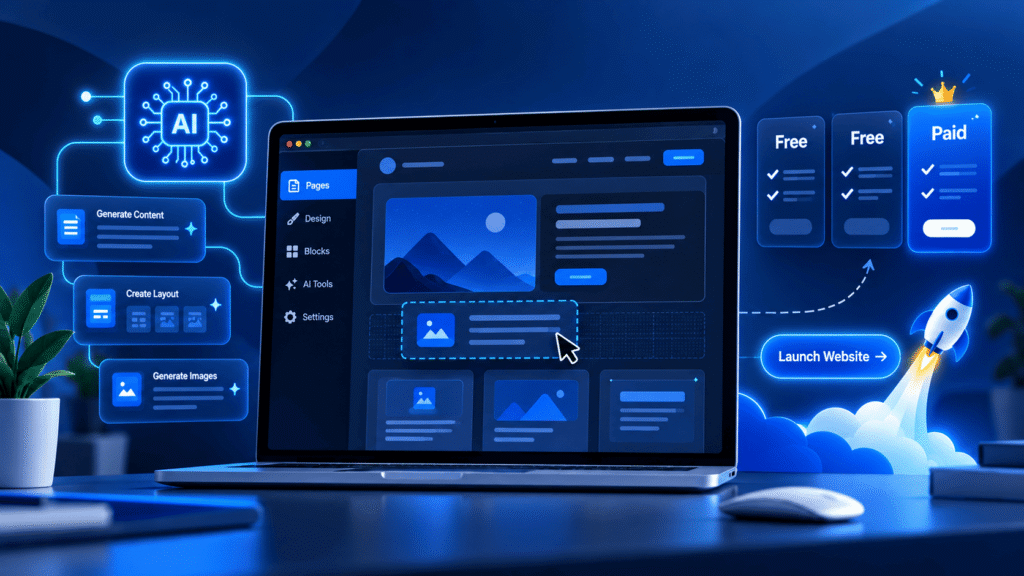
3 AI Tools for Building WordPress Websites
1. ZipWP — Best Free Option for Quick Website Creation
ZipWP is an AI-powered website builder that generates complete WordPress websites from a simple description.
Instead of choosing every design element manually, you explain your business and let ZipWP create the initial website structure.
How to use ZipWP:
- Visit ZipWP and create a free account.
- Describe your business and the type of website you want.
- Let the AI generate your website’s pages, layouts, and content.
- Review the generated design and customize it.
- Export or migrate the WordPress website to your preferred hosting provider.
ZipWP creates standard WordPress websites, meaning you’re not permanently tied to its hosting platform.
Free plan limitations: ZipWP currently offers two free AI site generations, with temporary sandbox websites available for 24 hours. If you want to keep your generated website, arrange the migration before the sandbox expires.
Best for: Beginners who want to see a complete website concept quickly without starting from a blank page.
2. Kubio AI — Best Free Option for Building Inside WordPress
Kubio AI takes a different approach. It’s a WordPress page builder that works directly within your WordPress installation.
You can use it to generate pages, create content, and customize layouts without moving your website between platforms.
How to use Kubio AI:
- Install WordPress on your hosting account.
- Open your WordPress dashboard and navigate to Plugins → Add New.
- Search for “Kubio AI Page Builder” and install the plugin.
- Activate Kubio and open its website-building tools.
- Describe the website or page you want to create.
- Customize the generated sections, images, and text.
Kubio uses a block-based editing system, allowing you to adjust layouts without writing code.
Its free version currently includes 500 introductory AI credits for testing AI features. More extensive generation may require a paid plan.
Best for: Website owners who already have WordPress hosting and want to build or improve their websites using AI.
3. Elementor One — Best Paid Option for Advanced Customization
Elementor One combines Elementor’s visual WordPress editor with AI-assisted creation and additional website management tools.
It supports AI-generated text, images, layouts, and code, giving users more flexibility when designing professional websites.
How to use Elementor One:
- Install WordPress on a compatible hosting account.
- Choose an Elementor One subscription.
- Install and activate the necessary Elementor tools.
- Use its design editor and AI features to build pages.
- Customize your website’s branding, layout, and content.
- Preview the design on desktop and mobile before publishing.
Elementor One is particularly useful when you need detailed design control or want to manage more complex website projects.
Cost: Elementor One requires a paid subscription. AI features consume credits according to the plan and actions performed. Hosting is purchased separately.
Best for: Businesses, freelancers, and website designers who want advanced customization and ongoing AI-assisted editing.
How to Launch Your AI-Built WordPress Website
Regardless of which AI builder you choose, your website needs a reliable hosting environment before it can go live.
Step 1: Choose WordPress Hosting
Start with a hosting plan that supports WordPress and provides sufficient resources for your website.
ZYNOO’s WordPress hosting includes one-click WordPress installation, NVMe storage, LiteSpeed acceleration, SSL certificates, and WordPress management tools.
You can install compatible third-party AI plugins or migrate a WordPress website generated elsewhere.
The AI website builders discussed in this guide are independent services and aren’t included with ZYNOO hosting plans.
Step 2: Build and Customize Your Pages
Create the pages your visitors will need.
For a typical business website, these might include:
- Homepage: Introduce your business and its main benefits.
- About: Explain who you are and what makes your business different.
- Services: Describe your offerings and pricing where appropriate.
- Blog: Share useful articles and updates.
- Contact: Provide a working contact form and relevant business information.
Use AI to generate initial layouts and draft content, but replace generic descriptions with accurate information about your business.
Step 3: Review the AI-Generated Content
AI can produce convincing text that contains incorrect information.
Before publishing, check all product descriptions, prices, contact details, testimonials, and business claims.
Replace placeholder images with appropriate visuals and confirm that you have permission to use any third-party assets.
Your website should represent your actual business, not an invented version generated by AI.
Step 4: Optimize Your Website
Once the design is complete, focus on usability and performance.
Test your website on mobile devices, compress large images, configure caching, and remove unnecessary plugins.
Create descriptive page titles and ensure important pages can be indexed by search engines.
Step 5: Test and Publish
Before launching, check that navigation menus, buttons, contact forms, and other interactive elements work correctly.
Enable HTTPS, configure backups, and review your WordPress security settings.
Once everything is ready, connect your domain and make the website publicly accessible.
Can AI Build a Complete WordPress Website for Free?
Yes, you can create an initial WordPress website using free AI tools, but free AI website creation doesn’t necessarily mean free website hosting.
Free plans often limit AI generations, credits, available features, or how long temporary websites remain active.
You’ll generally still need hosting and a domain for a permanent professional website.
For beginners, starting with Kubio’s free AI features on an existing WordPress installation can be a practical approach. ZipWP is useful when you want to generate and evaluate a complete design before committing to a hosting setup.
Ready to Launch Your AI-Built Website?
Bring your WordPress website to life with fast NVMe hosting, LiteSpeed, and free SSL.
Frequently Asked Questions
Yes. AI website builders can generate layouts and content without requiring programming knowledge. However, you’ll still need to configure and maintain your website.
They can, but using AI doesn’t guarantee search rankings. Google prioritizes helpful, original, and reliable content regardless of how it was created.
Usually, yes, if the builder creates a standard WordPress website and permits migration. Check the tool’s export capabilities, licensing terms, and plugin dependencies first.
ZipWP is convenient for quickly generating a complete website draft. Kubio AI is a good choice when you already have WordPress installed and want to build pages directly.
Conclusion
AI makes WordPress website creation more accessible by simplifying design, content generation, and page customization.
If you’re getting started, try ZipWP or Kubio AI to explore website building with limited free AI features. For more advanced projects, Elementor One offers a broader paid toolkit.
Whichever option you choose, remember that AI handles only part of the process. Accurate content, thoughtful design, reliable hosting, and ongoing maintenance are still essential.
Start with the tool that fits your budget, customize the results, and build a website that genuinely serves your visitors.