n8n is a workflow automation platform that connects apps, APIs, and databases to automate repetitive tasks with little or no code. It uses a visual editor to build workflows, supports custom JavaScript and Python code, and includes tools for creating AI-powered automations.
Unlike fully hosted automation services, n8n can run on your own server, giving you more control over the infrastructure and stored workflow data. That flexibility makes it useful for developers, businesses, and teams managing complex processes.
How Does n8n Work?
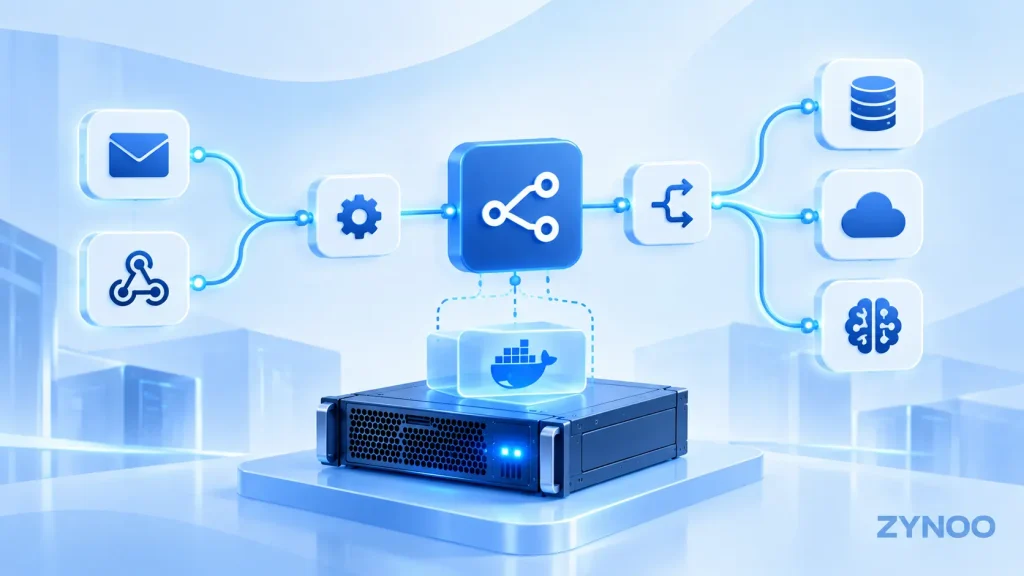
n8n (pronounced “n-eight-n”) uses a node-based workflow editor. Each node performs a specific task, such as receiving information, calling an API, transforming data, or sending a notification.
Most workflows contain three elements:
- Trigger: An event starts the workflow, such as a form submission, webhook request, or scheduled time.
- Actions: Connected nodes process data, update records, or communicate with other services.
- Logic: Conditions, filters, and branching determine what happens next.
For example, an online store could create a workflow that starts whenever a customer submits an order. n8n retrieves the order details, updates a spreadsheet, and sends a notification to the sales team.
The workflow runs automatically whenever the configured trigger fires, provided the instance and required services are available.
Key Features of n8n
Visual Workflow Builder
n8n provides a drag-and-drop editor for connecting services and creating automated processes. You can inspect the data passing between nodes, test individual steps, and troubleshoot failed executions.
App Integrations and APIs
n8n supports a large library of built-in integrations, including services such as Google Sheets, Slack, GitHub, and popular databases.
Its HTTP Request node also allows connections to services that expose compatible APIs, even when a dedicated integration isn’t available.
Custom Code and Advanced Logic
For more complex automation, developers can use the Code node to manipulate data with supported JavaScript or Python functionality.
Conditional branching, loops, and error-handling workflows help manage processes that require more than a simple sequence of actions.
AI-Powered Automation
n8n supports AI workflows that connect language models with tools, APIs, and external data sources.
For example, an AI workflow might classify support requests, extract information from documents, or prepare draft responses for human review.
AI integrations may require separate API credentials and usage-based charges. Sensitive actions should include appropriate permissions and approval controls.
Self-Hosting Options
You can use n8n Cloud or deploy the platform on infrastructure you manage, including a Linux VPS.
Self-hosting gives you control over deployment, updates, data storage, and network access, but also makes you responsible for maintaining the environment.
What Can You Automate With n8n?
n8n supports numerous practical use cases across different industries.
Marketing and sales: Capture form submissions, create CRM contacts, qualify leads, and notify sales representatives.
E-commerce: Process order events, update inventory systems, and send customer notifications.
IT and DevOps: Receive monitoring alerts, create support tickets, and coordinate operational workflows.
Finance and reporting: Retrieve transaction data through authorized APIs, prepare reports, and distribute scheduled summaries.
AI-powered customer support: Categorize messages, retrieve information from approved knowledge sources, and prepare responses for review.
These workflows still require properly configured integrations, valid credentials, and monitoring. Automation reduces repetitive work, but it doesn’t eliminate the need to handle errors and unexpected events.
Is n8n Free? Understanding Its Pricing and License
n8n offers a free self-hosted Community edition and paid plans for users who need hosted infrastructure or additional capabilities.
The Community edition uses the Sustainable Use License, a fair-code license that makes the source code available but places restrictions on certain commercial uses.
You can generally use the Community edition for your own internal business workflows. However, offering n8n itself as a hosted service, white-labeling it, or allowing external customers to build workflows may require a commercial agreement.
Self-hosting also isn’t entirely free. You still pay for infrastructure, backups, administration, and any third-party API usage.
n8n Cloud removes much of the infrastructure management responsibility in exchange for subscription fees. For current plan details, check the official n8n pricing page.
How to Self-Host n8n on a VPS
A Linux VPS is a practical starting point for businesses that want to operate n8n without maintaining physical hardware.
The recommended approach for many self-hosted installations is to use Docker Compose, which defines the application and supporting services in a configuration file.
A typical deployment involves:
- Provision a Linux VPS with sufficient CPU, memory, and storage for your expected workflows.
- Install Docker Engine and the Docker Compose plugin.
- Deploy n8n using the official container image and persistent storage.
- Configure a domain name, HTTPS, and a reverse proxy.
- Protect credentials, restrict access, and configure backups.
- Monitor workflow executions and install updates regularly.
n8n can use SQLite for smaller deployments or PostgreSQL for more demanding environments. Persistent storage is essential because workflows, settings, and encryption-related information must survive container restarts.
Follow the official n8n Docker Compose documentation for the current installation procedure.
Can You Run n8n With Kubernetes?
Yes. Containerized n8n deployments can run on Kubernetes, but most small projects don’t need that additional complexity.
For higher workflow volumes, n8n supports queue mode, using Redis and separate worker processes to distribute executions. PostgreSQL is generally recommended for this setup.
Kubernetes can help manage containerized components across a cluster, although you must plan persistent storage, network access, and shared encryption keys carefully.
n8n vs. Zapier: Which Should You Choose?
Both platforms automate tasks, but they prioritize different requirements.
| Feature | n8n | Zapier |
|---|---|---|
| Workflow builder | Visual, node-based | Visual, step-based |
| Self-hosting | Available | Not generally available |
| Customization | Extensive | Depends on features and plan |
| Infrastructure management | Required if self-hosted | Managed by Zapier |
| Best suited for | Technical teams and customized workflows | Quick, managed app automation |
Zapier may be easier for users who want to automate tasks without maintaining infrastructure.
n8n is particularly attractive when you need custom API integrations, code execution, or control over your hosting environment.
Is Self-Hosting n8n Right for You?
Self-hosting makes sense if you have experience managing Linux servers and want greater control over your automations.
For production use, consider backup procedures, database reliability, encryption-key management, monitoring, and security updates before deployment.
A ZYNOO Linux VPS provides an infrastructure option for running a self-managed n8n instance. Choose resources based on workflow complexity and expected concurrency rather than assuming every automation needs a large server.
If you’d rather avoid server administration, n8n Cloud may be the simpler option.
Frequently Asked Questions
n8n is source-available under a fair-code license, rather than an OSI-approved open-source license. Its Community edition can be self-hosted for permitted uses.
No. Many workflows can be built visually. Coding becomes useful for advanced data transformations, custom integrations, and complex automation logic.
Yes. You can deploy n8n on a compatible Linux VPS using Docker Compose or other supported installation methods.
Yes. n8n supports AI integrations and agent-based workflows, although capabilities, costs, and reliability depend on the models, tools, and configuration used.
Conclusion
n8n combines visual workflow automation, API integrations, custom code, and AI capabilities in one platform. Its self-hosting option is especially useful for teams that need control over their automation infrastructure.
Start with a simple workflow, evaluate the hosting and maintenance requirements, and expand only when your automation needs justify the additional complexity.