

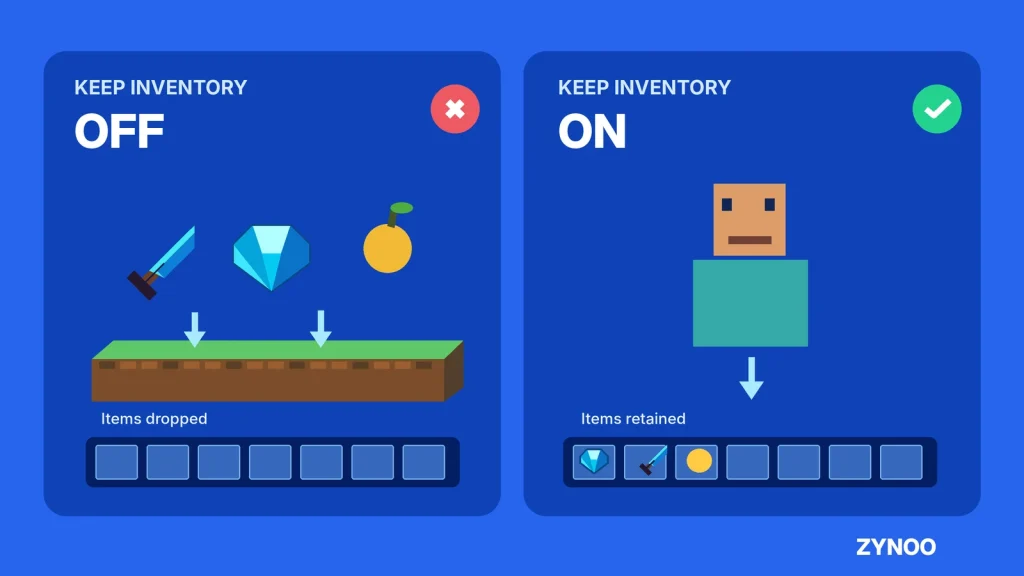
The Minecraft keep inventory command lets players keep their items, armor, and experience after dying instead of dropping everything.
To enable it in Minecraft Java Edition 1.21.11 or newer, open the chat and enter:
/gamerule keep_inventory trueFor older Java versions and Minecraft Bedrock Edition, the command is slightly different. Here’s how to enable, disable, and troubleshoot Keep Inventory on your server.
Key Takeaways
- Use
/gamerule keep_inventory trueon Minecraft Java 1.21.11 and newer. - Older Java versions use
keepInventory, while Bedrock useskeepinventory. - You need appropriate command permissions or access to the server console.
- The setting applies to the world and remains active until disabled.
Minecraft Keep Inventory Commands for Java and Bedrock
Use the command that matches your Minecraft edition and version.
| Minecraft Version | Enable Keep Inventory |
|---|---|
| Java 1.21.11 and newer (26.x) | /gamerule keep_inventory true |
| Java 1.21.10 and older | /gamerule keepInventory true |
| Bedrock Edition | /gamerule keepinventory true |
Important: Minecraft Java 1.21.11 introduced new game rule names using underscores. If an older command doesn’t work, check your server version before trying again.
How to Enable Keep Inventory on a Minecraft Server
You can enable the setting directly through in-game chat or your server’s console.
Method 1: Using In-Game Chat
- Join your Minecraft server with an operator account.
- Press T to open the chat.
- Enter the correct Keep Inventory command for your version.
- Press Enter to apply the setting.
For current Java Edition versions:
/gamerule keep_inventory trueThe change takes effect immediately. Players will retain their inventory and experience when they die.
Method 2: Using the Server Console
If you manage a hosted Minecraft server, you can execute the command through its control panel.
- Log in to your server’s hosting control panel.
- Open the Console section.
- Make sure the Minecraft server is running.
- Enter the following command for current Java versions:
gamerule keep_inventory true- Press Enter and check the confirmation message.
Note: Server consoles normally use commands without the leading / character.
If you haven’t configured your own multiplayer server yet, follow our Minecraft server setup guide for installation and configuration instructions.
How to Disable Keep Inventory in Minecraft
To return to normal survival gameplay, change the game rule to false.
For Java 1.21.11 and newer:
/gamerule keep_inventory falseFor Java 1.21.10 and older:
/gamerule keepInventory falseBedrock Edition:
/gamerule keepinventory falseOnce disabled, players will drop their inventory and experience when they die again.
How to Check if Keep Inventory Is Enabled
You can verify the current setting without changing it.
For newer Java versions, enter:
/gamerule keep_inventoryMinecraft displays whether the rule is set to true or false.
Use the corresponding game rule name for older Java or Bedrock versions.
Minecraft Keep Inventory Command Not Working?
If the command fails, check these common issues.
1. Incorrect Command or Version
The game rule name varies between Minecraft editions.
For example, keepInventory works on older Java versions but not on Java 1.21.11 and newer.
Check your version and use the exact command shown in the comparison table.
2. Missing Operator Permissions
On multiplayer servers, players need sufficient command permissions to change game rules.
If you own a Java server, you can grant operator status through its console:
op PLAYER_NAMEReplace PLAYER_NAME with the player’s Minecraft username. Only grant operator access to trusted administrators.
3. Commands Are Not Enabled
In single-player worlds, ensure your world allows commands.
For Minecraft Bedrock Edition, check the world settings and command permissions. Enabling cheats can permanently disable achievements for that world.
4. Keep Inventory Is Still Not Working
If players continue dropping items after enabling the rule:
- Confirm that the command was accepted.
- Check the current game rule value.
- Verify that you’re changing the correct world.
- Check whether plugins or custom server configurations override death behavior.
Remember that enabling Keep Inventory doesn’t restore items already lost in a previous death.
Does Keep Inventory Affect Server Performance?
No significant performance impact is expected from enabling this game rule alone.
Keep Inventory changes what happens to a player’s items and experience after death. It doesn’t increase server RAM or improve gameplay performance.
If your Minecraft client is lagging or crashing, our guide to adjusting Minecraft RAM allocation explains how to configure memory for Java Edition and modpacks.
Final Thoughts
The Minecraft keep inventory command is a simple way to prevent players from losing their items and experience after death.
Just remember to use the correct command for your Minecraft edition, verify administrator permissions, and confirm that the setting is active.
For private multiplayer worlds and casual servers, enabling Keep Inventory can make exploration and survival gameplay less frustrating.