MariaDB vs MySQL: which database should you choose? Both are reliable, open-source relational database systems widely used for websites and applications. MySQL is a strong choice for software built around its ecosystem, while MariaDB offers an independently developed alternative with different features and storage engine options.
For a typical WordPress website, either can work well. For custom applications, compatibility and specific database features often matter more than small performance differences.
Here’s how they compare and what to consider before choosing.
What Is MariaDB?
MariaDB is an open-source relational database management system (RDBMS) created in 2009 by developers from the original MySQL project.
It began as a compatible alternative to MySQL following concerns about the project’s future ownership. Since then, MariaDB has developed independently, adding its own features, optimizations, and storage engine capabilities.
MariaDB is commonly used for websites, business applications, and database services running on Linux servers.
What Is MySQL?
MySQL is a relational database system first released in 1995 and now developed by Oracle.
Like MariaDB, it organizes data into tables containing rows and columns. Applications use SQL (Structured Query Language) to retrieve, insert, update, and manage information.
MySQL is widely supported by web applications, development frameworks, and hosting environments.
It offers a free Community Edition alongside commercial Enterprise products with additional features and support options.
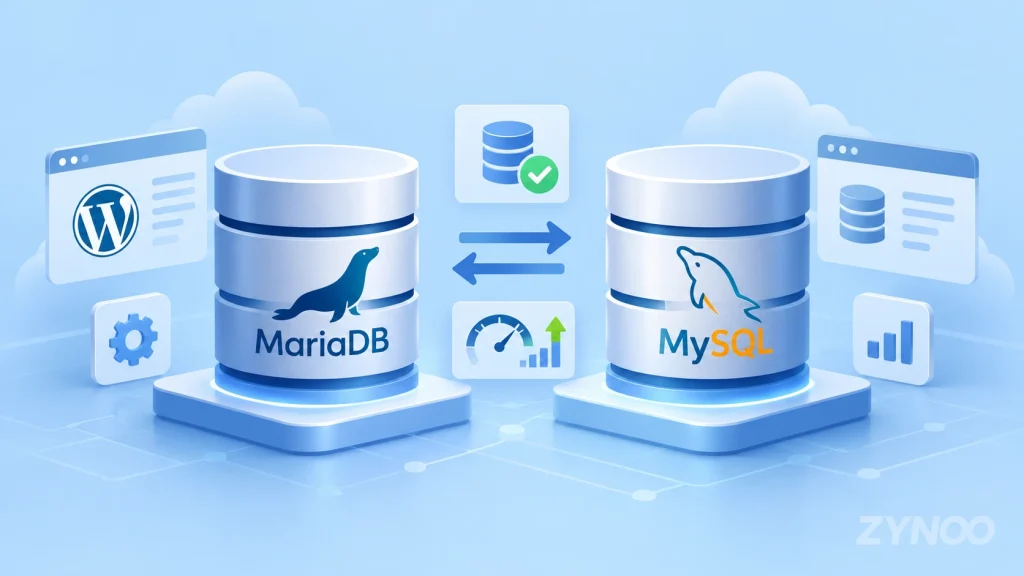
MariaDB vs MySQL: Side-by-Side Comparison
Although both databases share a common history, they’re no longer identical.
| Feature | MariaDB | MySQL |
|---|---|---|
| Developer | MariaDB Foundation and contributors | Oracle |
| Open-source edition | Yes | Yes |
| Core database type | Relational | Relational |
| Default transactional engine | InnoDB | InnoDB |
| Additional storage engines | Broad selection | Multiple supported engines |
| JSON storage | Text-based JSON alias | Native binary JSON |
| Replication | MariaDB-specific implementation | MySQL-specific implementation |
| WordPress support | Yes | Yes |
| Commercial support | Available | Available |
| Compatibility | Depends on versions and features | Depends on versions and features |
For ordinary websites, these differences may have little visible impact. They become more important when applications depend on advanced SQL features, replication, JSON handling, or specific database drivers.
MariaDB vs MySQL Performance: Which Is Faster?
There’s no universal winner.
MariaDB may perform better for some queries, while MySQL may be faster for others. Results depend on the database versions, workload, indexes, configuration, and available hardware.
For example, a WordPress website that mostly retrieves cached content has different database requirements from a reporting application processing complex queries.
Several factors influence performance:
- Indexes: Proper indexing can significantly reduce query execution time.
- Memory: Sufficient RAM helps the database cache frequently accessed information.
- Storage: Fast SSD or NVMe storage can improve disk-intensive workloads.
- Query design: Inefficient SQL queries can create bottlenecks regardless of the database engine.
- Configuration: Cache sizes, connection limits, and other settings affect performance.
Rather than choosing MariaDB or MySQL based on general benchmark claims, test the queries your application actually uses.
For most websites, database optimization is more valuable than switching engines solely for a possible speed improvement.
Compatibility: Can MariaDB Replace MySQL?
MariaDB was originally designed as a compatible alternative to MySQL. Many applications use similar SQL statements and client interfaces with both databases.
However, compatibility has changed as the projects have evolved separately.
Important differences include:
JSON handling: MySQL uses a native binary JSON data type. MariaDB implements JSON as an alias for LONGTEXT, with JSON-related functions and validation capabilities.
Authentication: Supported authentication plugins and default configurations can differ between versions.
Replication: MariaDB and MySQL use different implementations of Global Transaction IDs (GTIDs), which complicates certain cross-database replication setups.
SQL behavior: Functions, collations, reserved words, and optimizer behavior aren’t always identical.
This means MariaDB isn’t a guaranteed drop-in replacement for modern MySQL installations.
If you’re migrating an existing application, check its database requirements and test the migration in a separate environment before making changes to production.
MariaDB vs MySQL for WordPress
Both MariaDB and MySQL are supported by WordPress.
According to WordPress’s official requirements, the recommended database versions are:
- MariaDB 10.11 or newer.
- MySQL 8.0 or newer.
For most WordPress users, the practical difference is relatively small. Themes, plugins, caching, PHP performance, and hosting quality often have a greater effect on the website experience.
You generally don’t need to change databases if your WordPress website is working reliably.
If you’re planning a new website, choose a hosting environment that supports current database versions, regular updates, and dependable backups.
MariaDB vs MySQL: Licensing and Support
Both databases offer open-source editions under GPL licensing, but their commercial ecosystems differ.
MariaDB Community Server is openly developed, with commercial services available from MariaDB-related vendors and other providers.
MySQL Community Edition is also available under the GPL, while Oracle offers commercial editions with additional enterprise capabilities and support.
For a typical website, you generally don’t need to purchase a commercial database license.
Businesses requiring specific enterprise features, vendor support, or contractual commitments should evaluate the available offerings separately.
Which Database Should You Choose?
The best choice depends on your application and existing infrastructure.
Choose MariaDB If:
- Your software officially supports MariaDB.
- You prefer its development ecosystem and available features.
- You’re using a Linux environment where MariaDB is already the supported database.
- You want a supported database option for WordPress or another compatible application.
Choose MySQL If:
- Your application specifically requires MySQL.
- You depend on MySQL-specific JSON behavior or database features.
- Your development tools or vendor support requirements favor MySQL.
- You’re maintaining an existing MySQL environment that works reliably.
For an existing website, staying with the supported database is usually the safest decision. Switching databases introduces migration work and potential compatibility problems without guaranteeing improved performance.
Can You Run MariaDB or MySQL on a VPS?
Yes. Both databases can run on a compatible Linux VPS, giving you control over database versions, configuration, backups, and resource allocation.
This can be useful for custom applications or projects that require more administrative flexibility than conventional shared hosting provides.
However, database administration also involves security updates, access restrictions, monitoring, and recovery planning.
Frequently Asked Questions
Not universally. MariaDB and MySQL have different features and development priorities. The better choice depends on your application’s requirements, compatibility, and workload.
Sometimes, but performance varies by workload and database version. Proper indexing, configuration, and query optimization are more reliable ways to improve performance.
Yes, in many situations, but migrations require compatibility testing. Differences in JSON storage, authentication, SQL behavior, and replication may affect existing applications.
Yes. WordPress officially supports both MariaDB and MySQL, provided the installation meets its database requirements.
Conclusion
MariaDB and MySQL are both capable relational database systems, and neither is automatically the better choice.
MariaDB offers an independently developed ecosystem with its own features and storage engine options. MySQL provides broad application support and a well-established commercial ecosystem.
For most website owners, the best decision is to use the database officially supported by their application and hosting environment. Focus on compatibility, maintenance, and performance testing rather than switching based on general claims about speed.